Cleaning
Cleaning management software: what it covers, and how to choose
Cleaning management software is any system a cleaning business or in-house cleaning team uses to plan, schedule, deliver, check and report cleaning work, from job booking, rosters and time and attendance to audits, task proof at the location and client reports.

The label covers everything from a booking app for a two-person window cleaning round to a platform that runs rosters, payroll and audits for thousands of contract cleaners. This guide sets out what the category covers, which parts matter for which kind of cleaning business or in-house team, and how to choose without buying more than you need.
01
What cleaning management software is
Cleaning management software is any system that helps plan, deliver, check or report cleaning work. There is no standard that defines the category, and products described this way vary widely. Search for cleaning business software, cleaning company software or cleaning scheduling software and you will often find the same products under different names. Some are field service management tools adapted for cleaning companies, built around jobs, quotes and invoices. Some are workforce management systems, built around rosters, clocking in and pay. Some are inspection and audit tools. Some sit inside a wider computer-aided facilities management (CAFM) system. Others do one narrow job, such as recording checks at a location or sending a report to a client.
Who buys it shapes what they need:
- Small cleaning businesses doing domestic, window or carpet cleaning, where the problem is booking jobs, routing a mobile team and getting invoices out.
- Contract cleaning companies running commercial cleaning across many client sites, where the problems are rostering, cover, proving attendance, quality audits and keeping clients informed.
- In-house cleaning teams in schools, hospitals, universities and offices, where cleaning is one service among several and must fit the organisation's other systems.
- Clients and building managers who buy cleaning, and want evidence that the specification is being delivered.
Knowing which of these you are is the first step, because the best cleaning software for one is often the wrong shape for another.
02
What the category covers
Most products combine several of these functions. Few do all of them well:
- Scheduling and job management: job scheduling for recurring cleans, one-off jobs and periodic work across multiple sites, with cleaning schedules by site and area.
- Rostering and workforce management: who works where and when, availability management, holiday and absence cover.
- Time and attendance: clocking in and out on site, by phone, fixed device or call-in, often feeding payroll.
- Task proof: confirming that a specific check or task was done at a specific location, by scanning a code or tapping a tag, with a time and often a photo.
- Audits and inspections: quality audits against the specification, scored, with findings and corrective actions.
- Issue reporting and reactive jobs: staff or occupants reporting spills, faults and shortages, and tracking them to closure.
- Client reporting: dashboards, portals or scheduled reports showing work done, audit scores and open issues.
- Commercial tools: client management, quoting, contracts, invoicing and links to accounting software.
- People records: training, right-to-work checks and COSHH records.
Some systems sell all of this as one system; others do one or two parts and connect to the rest. Neither approach is right in itself. A single platform avoids re-keying data but ties every part of your business operations to one supplier's strengths and weaknesses; separate tools can each be the best at their job but need to be kept in step.
03
Which parts matter for which team
Match the software to the problem that costs you most today:
- If jobs are missed or double-booked, you need scheduling software or job management software first.
- If cover and pay are the headache, look at rostering, time and attendance and payroll links.
- If clients doubt the work is being done, you need task proof at the location and client reporting, more than another dashboard.
- If quality varies between sites, you need an audit tool and a supervisor who uses it, and a way to show that corrective actions are closed.
- If reports take days to assemble, you need records captured in real time on site, not typed up later.
The daily workflow of the cleaning staff matters more than the feature list. Most cleaners work early mornings or evenings, often across more than one employer, sometimes with limited English or limited data on their phones. Software that asks them to install a mobile app, remember a password and fill in long forms will be used patchily, and patchy data is worse than none because it looks complete.
04
How to choose cleaning management software
A structured approach avoids buying a platform for a problem you do not have:
- Write down the process as it is, from the client's specification to the report they receive, and mark where it breaks.
- List must-haves and nice-to-haves, and keep the must-have list short.
- Test with real staff on a real site. Use a free trial or pilot with the people who will use it at 6am, not only with managers in an office.
- Check how staff get in: an app to install, a web link, a shared device, a tag to scan. Check what happens with no signal.
- Look at the data you get out: can you export your records, in a usable format, if you leave?
- Check integrations with payroll, accounting, HR or the client's CAFM or helpdesk, and who maintains them.
- Understand the pricing model, whether per user, per site, per building or per module, and how it grows as your contracts grow.
- Check data protection. Systems that record where and when staff work process personal data under UK GDPR. Be clear about what is collected and why, tell staff in a privacy notice, and consider a data protection impact assessment where monitoring is involved. The Information Commissioner's Office publishes guidance on monitoring workers.
- Check security and support: how the supplier protects data, whether it holds a recognised certification such as Cyber Essentials, and how quickly problems are answered.
Be wary of claims to streamline everything or grow your business on their own. Software records and organises work; it does not supervise it. The gain comes from a supervisor acting on what the system shows.
05
Rolling it out
Software designed for one part of the cleaning industry rarely fits another without changes to your business processes, so expect the rollout to change how some work is done, and decide deliberately which changes you accept. Start with one or two sites and a short list of what success looks like, such as scheduled checks recorded on the day, fewer missed jobs, or reports sent without manual work. Explain to staff what is recorded and why, and involve supervisors early, because they will be the ones asked about gaps. Do not digitise a bad process: if the specification is vague, the software will faithfully record vague work. Review after a month, fix what staff find awkward, then extend to more sites.
Plan the switch-over as carefully as the choice. Decide what happens to records in the old system, and keep them for as long as your contracts or clients require. Tell clients what will change in the reports they receive and when, so that a new format is not mistaken for a drop in cleaning services. Set a date after which paper sheets or the old system stop, because running both for long means neither is complete. And name one person, usually an operations manager in a contract cleaning company or the facilities manager for an in-house team, who owns the system after the supplier's implementation team has gone. A professional cleaning service business with good software and nobody responsible for it is back to spreadsheets within a year.
06
Where client reporting fails, and where SiteClara fits
Many cleaning companies run capable systems for rosters, pay and audits, yet their clients still see only a monthly report and hear about failures from occupants. The piece that is often missing is plain: a record, made at the location as the work happens, of each scheduled check, and a short report the client receives every morning.
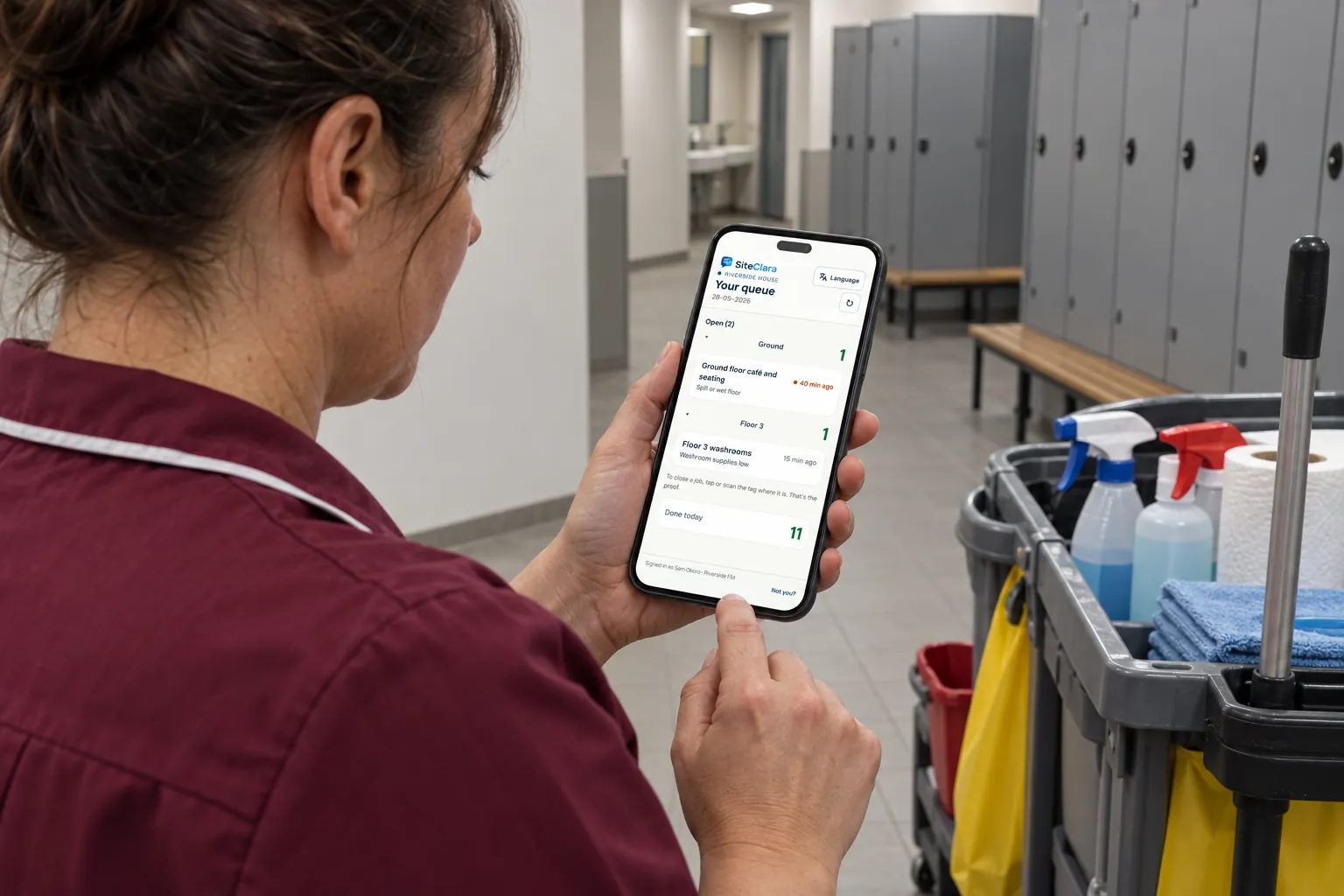
SiteClara does that narrow part, and only that part. A printed QR poster at each location, with an optional NFC tag behind it, lets staff scan or tap with their own phone; staff are enrolled by text and sign in with a link, with no app to install. They see the checks due at that location and mark them done, or explain what stopped them, record jobs, and report issues with a photo, which go onto the team's list of jobs until someone closes them. The supervisor sees what is due, done and missed, works through a queue of open jobs grouped by building and floor, and can escalate a job to the building manager. Each day the supervisor reviews the totals and photos, adds a note, records who was notified and approves the report, which goes to nominated management or client contacts at 8am the next morning. It is priced per building, with no per-person fees, and can sit alongside whatever rostering, payroll or audit system you already use.
07
Further reading, and a list to take away
The Information Commissioner's Office publishes guidance on employment practices and monitoring workers, and on data protection impact assessments. The National Cyber Security Centre explains the Cyber Essentials scheme. For what the software should measure, see our guides to cleaning KPIs and cleaning supervisor duties.
Before you choose cleaning management software, check that:
- you have named the one or two problems it must solve;
- you know which functions you need: scheduling, rostering, task proof, audits, client reporting or commercial tools;
- cleaners on site have tried it, at the hours they work;
- staff access is simple, and works on their own phones or a device you provide;
- your data can be exported if you leave;
- the pricing still makes sense at twice your current size;
- staff have been told what is recorded, and data protection is covered;
- a supervisor owns acting on what it shows.
Sources
Every document this guide quotes or links to, in the order it first cites them.
- Guidance on monitoring workers ico.org.uk
- Cyber Essentials scheme ncsc.gov.uk
Related guides
 CleaningCleaning KPIs: what to measure, and how to know the figures are trueThe cleaning KPIs worth measuring, how to define and target them, how to report them, and how a KPI can look green while the building is not clean.
 CleaningCleaning quality control: how to inspect, correct and prove the standardHow quality control works in commercial cleaning: QA versus QC, setting standards, running inspections, corrective action and a record that holds up.
 CleaningCleaning supervisor duties: what the role involves, and what good looks likeWhat a cleaning supervisor does: the main duties, a typical shift, health and safety, managing the team, checking the work and reporting to the client.
 Premises and facilities managementCAFM system: what it does, and how to choose and implement oneWhat a CAFM system is and does, how it differs from a CMMS or IWMS, how to choose and implement one, and what it will not fix on its own.