Premises and facilities management
Hazard register: what HSWA expects, and how to keep one that is used
A hazard register is a written list of the hazards in a workplace, the harm each could cause, how likely that harm is, the controls in place and who is responsible for them, and in New Zealand it is a common way for a PCBU to record the risk management that the Health and Safety at Work Act 2015 requires.

It may be a spreadsheet, a folder in the office or a laminated table by the cleaners' cupboard. The Act does not ask for a document by that name. It asks each PCBU to identify its hazards, manage the risks and keep the controls working. This guide explains what the law and WorkSafe actually expect, what a useful register holds for a building, how risks are assessed and controlled, when the register must be reviewed, and how it changes when the critical risk amendments take effect on 1 April 2027.
01
What a hazard register is, and what the law actually asks for
A hazard register is a written list of the things at work that could hurt someone, the harm they could cause, how likely that is, what is being done about it and who is responsible. Many organisations now call it a risk register, because the list is only useful once each hazard is tied to the risk it creates and the controls that manage it. In a building, the register usually belongs to each business working there: the owner or property manager, each tenant, the contract cleaners, the security company and the maintenance contractors.
No New Zealand statute requires a document called a hazard register. The duty is in the Health and Safety at Work Act 2015 (HSWA). Section 30 of the Act, as WorkSafe New Zealand's Introduction to the Health and Safety at Work Act 2015 special guide puts it, means that "risks must be eliminated so far as is reasonably practicable. If a risk cannot be eliminated, it must be minimised so far as is reasonably practicable." The same guide defines a hazard as "anything that can cause harm", and notes that the Act makes clear a hazard includes behaviour that could cause death, injury or illness.
The Health and Safety at Work (General Risk and Workplace Management) Regulations 2016 set out the process. WorkSafe's interpretive guidelines, General risk and workplace management – part 2, explain them regulation by regulation:
- Regulation 5, identifying hazards. "PCBUs do not need to identify all potential hazards. They must identify hazards that could give rise to reasonably foreseeable work health and safety risks."
- Regulation 6, the hierarchy of control measures. Eliminate the risk first; if that is not reasonably practicable, minimise it in a set order.
- Regulation 7, keeping controls effective. A control measure must be effective and "maintained so that it remains effective".
- Regulation 8, reviewing control measures. Controls must be reviewed, and revised as necessary, in the circumstances described later in this guide.
The steps are the same for every risk: find the hazards, assess the risks, control them, keep the controls working and check they still do.
What about writing it down? WorkSafe's quick guide Identifying, assessing and managing work risks (July 2017) says: "It is good practice to keep written records of how you are managing your risks." Its companion fact sheet How to manage work risks is headed "It's not about creating loads of paperwork", and adds that for low-risk work "records can be simple such as making notes in a notebook", while "more risky work would require more complex records." A register, then, is good practice and usually the easiest way to show the thinking was done, but it is the managing of the risk that the law requires, not the document.
02
What goes in a hazard register for a building
WorkSafe's quick guide works through the example of a café owner who, with input from her workers, made a table with six columns: hazard, potential harm, likelihood, control measures, monitoring/actions and responsibility. She kept it on the wall by her desk and reviewed and updated it regularly. Her likelihood column is written in words, "Likely", "Possible" or "Rare", each with its reason, and her responsibility column says who does what, from the owner herself to all staff. That is a sound template for any hazard register. Two further columns make it more useful in practice: who could be harmed (workers, contractors, visitors, the public) and next review date.
The guide suggests looking across five kinds of hazard: physical (such as noise and vibration), biological (such as bacterial infections), chemical, ergonomic (such as manual handling) and psychosocial (including bullying, tight deadlines and other stress factors). For the people who clean, guard and look after a commercial building, a register typically includes:
- Wet and contaminated floors: mopped corridors, entrances in the rain, spills in kitchens and bathrooms.
- Stairs, ramps and uneven surfaces, especially where lighting is poor.
- Cleaning chemicals, including anything decanted into unlabelled bottles.
- Manual handling: bins, rubbish bags, floor machines and furniture moves.
- Work at height: ladders for high dusting, light changes and window cleaning.
- Working alone and at night, for after-hours cleaners and security officers on lock-up.
- Aggression and violence towards security officers and reception staff.
- Vehicles in car parks, loading docks and service lanes.
- Sharps and biological material in bins and bathrooms.
- Plant rooms and roofs, where contractors work near moving plant, hot surfaces or electrical equipment.
- Emergencies: fire, earthquake and evacuation.
WorkSafe's guide warns about the hazards that get missed. Its example is a small metalwork business that listed the risks of its machines but forgot breakdowns and maintenance, visitors walking through the workshop, the public on the footpath when trucks reversed out, and its clients when its workers installed products at their premises. The building version is familiar: the register covers the daytime office and forgets the cleaner at 10pm, the contractor on the roof and the security officer opening up alone at 5am.
Some hazards have regulations of their own with specific records; hazardous substances are the obvious example, and their inventory (see our guide to the hazardous substances inventory) sits alongside the register rather than inside it.
03
Assessing each risk and choosing the controls
Listing a hazard is not the same as managing it. WorkSafe's quick guide says plainly: "Risk management is not just hazard spotting." Hazard identification is the first step; the risk assessment comes next. For each hazard, the guide suggests working out who might be exposed, what the consequences could be and how likely they are, then deciding which risks to deal with and which to deal with first, starting with those that could cause serious injury, chronic ill-health or death, or that are most likely to happen.
Then choose the controls. Regulation 6 sets the order, and WorkSafe's guide describes it as the hierarchy of controls:
- Eliminate the risk by removing the source of harm, for example removing a trip hazard or getting faulty equipment repaired.
- If that is not reasonably practicable, minimise it by one or more of: substituting something less hazardous, such as a milder cleaning product; isolating the hazard or preventing contact, such as barriers between a loading dock and the footpath; and engineering controls, such as guards or extraction.
- If a risk remains, use administrative controls: safe methods of work, procedures, signs and exclusion zones.
- If a risk still remains, provide and ensure the use of suitable personal protective equipment. WorkSafe's guide says PPE "should not be the first or only control measure considered".
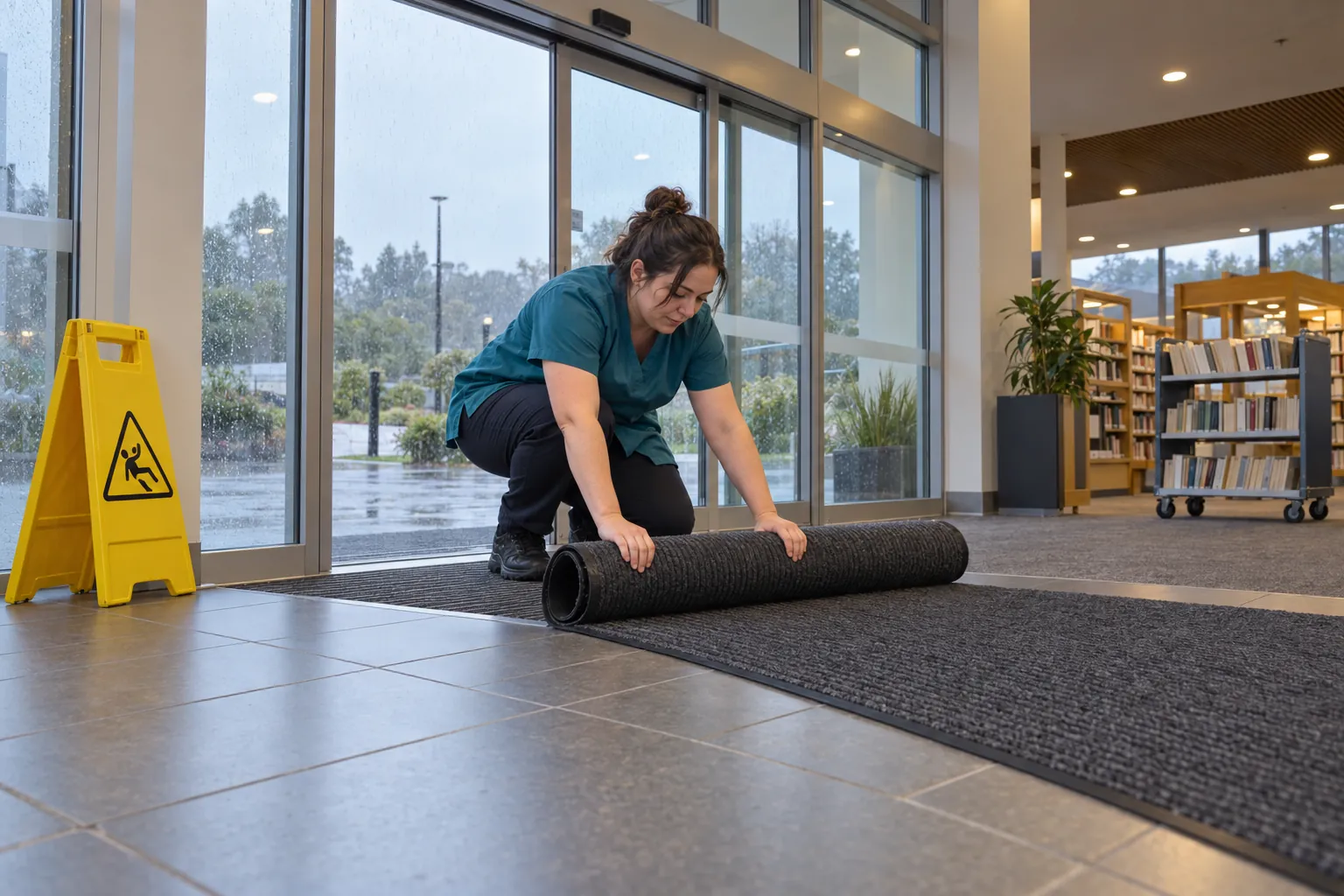
A register full of administrative controls deserves a second look. "Wet floor signs to be used" and "staff to take care on stairs" are real controls, but they depend on someone doing them every time. Where a higher control is reasonably practicable, such as entrance matting or a better handrail, it should come first.
05
Reviewing the register and keeping it live
Regulation 8 requires a PCBU to review and, as necessary, revise control measures so as to maintain, so far as is reasonably practicable, a work environment without risks to health and safety. WorkSafe's part 2 guidelines list when a review must happen:
- when the control does not control the risk it was put in place for, so far as is reasonably practicable;
- before a change at the workplace that is likely to create a new or different risk the control may not deal with;
- when a new relevant hazard or risk is identified;
- when health monitoring or exposure monitoring results show a problem, as the regulation describes;
- when engagement with workers shows a review is needed;
- when a health and safety representative requests one because they reasonably believe that one of the first three circumstances above, or a health monitoring report, affects or may affect the health and safety of their work group, and the PCBU has not adequately reviewed the control.
Beyond those triggers, WorkSafe's quick guide says all policies, processes and systems should have a regular review date, and asks PCBUs to review their work when something changes, such as new equipment, new processes or extended shifts. For a building, a sensible rhythm is every entry at least once a year and the highest risks more often; after every incident or near miss involving a hazard on the register, or one that should have been (see our guide to near-miss reporting); before a refit, a new tenant, a new cleaning or security contract or new plant; and as a standing item at contract meetings.
WorkSafe's Plan-Do-Check-Act approach puts monitoring between the controls and the review: give workers ways to report incidents, near misses and concerns, encourage reporting, and monitor workplace conditions. That monitoring is where most registers are weakest.
06
Where the register fails, and what SiteClara does about it
Most hazard registers describe controls that depend on something being done over and over: the entrance matting checked, the spill cleaned up straight away, the stairwell lights reported when they fail, the car park walked at lock-up, the chemical store kept locked. Regulation 7 asks that controls are maintained so that they remain effective. The register says what should happen; it rarely shows whether it did. After an incident, the question is not whether the hazard was listed but whether the check was done that day, by whom and when, and whether the fault someone noticed reached anyone who could fix it.
SiteClara records those checks at the location. A printed QR poster, with an optional NFC tag behind it, sits at each place where a check is scheduled, such as an entrance, a stairwell, a bathroom or a car park level. Staff scan or tap with their own phone, with no app to install, see the checks due there, and mark each one done or say what stopped them. The time and the named person are recorded as it happens, with a photo when one is asked for, and a reported fault goes onto the team's list of open jobs until someone closes it.
A supervisor sees what is due, done and missed, records the reason when a check was missed, and each day reviews and approves a short report for nominated managers or the client, sent the next morning. When the register is reviewed, that gives it evidence of how the routine controls actually performed, rather than an assumption that they did.
07
Questions people ask
What is a hazard register in NZ?
It is a PCBU's written record of the hazards at work and how the risks from them are managed. The duty behind it is in the Health and Safety at Work Act 2015: risks must be eliminated so far as is reasonably practicable, and minimised so far as is reasonably practicable if they cannot be. WorkSafe's quick guide Identifying, assessing and managing work risks defines a hazard as "anything that can cause harm" and says risk has two components, "the likelihood that it will occur and the consequences (degree of harm) if it happens"; a register sets out both for each hazard, with the controls and who is responsible.
Is a risk register a legal requirement?
No New Zealand law requires a document with that name; the law requires the risks to be managed. WorkSafe's quick guide Identifying, assessing and managing work risks says "It is good practice to keep written records of how you are managing your risks", because written records make it easier to review how you are dealing with risks if something changes and can be used to train workers. It adds that for low risk work "records can be simple", while "More risky work will require more complex records."
What does a typical risk register look like?
A table with one row per risk. WorkSafe's Risk register template has a date of issue and the worksite or location at the top, then columns for the risks identified, the potential harm, whether it is a significant risk (yes or no), whether the control will eliminate, isolate or minimise it, the risk controls, any training or information required, and a row of "date checked" boxes for regular checks of the risk controls in place. The café example in WorkSafe's Identifying, assessing and managing work risks uses hazard, potential harm, likelihood, control measures, monitoring/actions and responsibility.
Can I create my own risk assessment?
Yes. WorkSafe's quick guide Identifying, assessing and managing work risks describes a process a PCBU could follow itself, and is "designed to give PCBUs who need help a starting point". It says to seek the views of your workers and their representatives, because they "will have operational day-to-day knowledge that will be invaluable", and that if you need help to understand the hazards and risks, to "consider using the services of competent and appropriately qualified professionals (eg engineers, hygienists)". Where regulations set a specific way to deal with a risk, you must follow those requirements.
08
Further reading, and a list to take away
WorkSafe's quick guide Identifying, assessing and managing work risks is the fullest official explanation, with worked examples including the six-column table, and the fact sheet How to manage work risks is the two-page version. The regulations are explained in General risk and workplace management – part 2, and for the changes from 1 April 2027, start with What is a critical risk?. Our guide to PCBU duties covers who holds which duty in a building.
Before you sign off a hazard register, check that:
- it covers every kind of work done in the building, including after-hours cleaning, lone security patrols, maintenance and contractors;
- each entry names the hazard, the potential harm, who could be harmed, the likelihood, the controls, the monitoring and who is responsible;
- controls follow the hierarchy, with PPE and "take care" never the only answer where something better is reasonably practicable;
- risks that could be critical from 1 April 2027 are marked, with the reasoning written down;
- workers and their health and safety representatives helped build it, and have seen it;
- the parts that overlap with the owner, tenants and other contractors have been shared and agreed;
- each entry has a review date, and the register was reviewed after the last incident, near miss or change;
- there is a record showing that the routine controls it relies on were actually carried out.
Sources
Every document this guide quotes or links to, in the order it first cites them.
- Health and Safety at Work Act 2015 legislation.govt.nz
- Introduction to the Health and Safety at Work Act 2015 special guide worksafe.govt.nz
- General risk and workplace management – part 2 worksafe.govt.nz
- Identifying, assessing and managing work risks worksafe.govt.nz
- How to manage work risks worksafe.govt.nz
- Understanding the changes to the health and safety law worksafe.govt.nz
- What is a critical risk? worksafe.govt.nz
- Prioritising critical risks for large PCBUs worksafe.govt.nz
- Managing critical risks for small PCBUs worksafe.govt.nz
- Property management FAQs worksafe.govt.nz
- Overlapping duties quick guide worksafe.govt.nz
- Risk register template worksafe.govt.nz
Related guides
 Premises and facilities managementPCBU duties: what a PCBU is, and what the law expects of one in a buildingWhat a PCBU is under the Health and Safety at Work Act 2015, the primary duty of care, shared duties in one building, and what changes on 1 April 2027.
 Premises and facilities managementNear miss reporting: learning from the harm that nearly happenedWhat a near miss is under New Zealand's HSWA, when one must be notified to WorkSafe, what a good near miss report records, and how to get near misses reported.
 Premises and facilities managementOverlapping duties: sharing health and safety when several PCBUs work in one buildingOverlapping duties under HSWA 2015: when PCBUs share a building or a contracting chain, how to consult, co-operate and co-ordinate, and how to show it works.
 CleaningHazardous substances inventory: what it must hold, and how to keep it trueWhat a hazardous substances inventory must contain in New Zealand, who keeps one in a shared building, when to update it, and how it sits with SDSs and labels.